
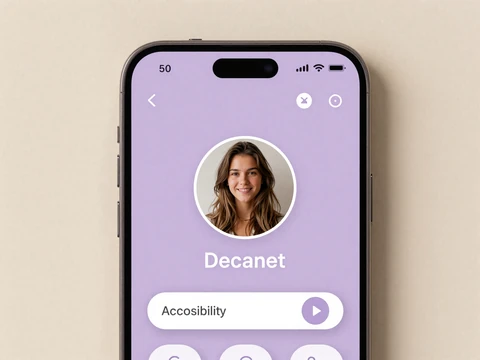
Profile setup
Pronouns, language preference, and the conditions you choose to make visible - all editable, none mandatory.
From the moment you open the disability dating app to your first real conversation, every screen is designed for accessibility, informed consent, and the choice to disclose on your own terms.
Average setup time: 8 minutes · No credit card · WCAG 2.2 compliant
The whole flow takes under ten minutes and never asks you to disclose anything before you're ready. Here's exactly what happens at each step on our dating app for disabled adults.
Enter an email, choose a display name, pick your pronouns, and select identity-first or person-first language. No phone number, no credit card, no required disability disclosure on day one.
Record a three-second video - front-facing camera, any lighting. Our system confirms you're a real human and matches it to your profile photo, blocking catfishers and bots before they ever message you.
Choose what matters: ASL fluency, wheelchair-accessible venues, sensory-friendly date ideas, quiet communication, allergy considerations. Filters bend the app to your needs, not the other way around.
Text, voice note, or captioned video chat. No swipe pressure, no 24-hour reply countdown, no premium paywall on reads. When you're ready for a first date, our accessible-venue guide is one tap away.
Every screen ships with high-contrast color pairs, 16px minimum body type, and full keyboard and screen-reader support.
Pronouns, language preference, and the conditions you choose to make visible - all editable, none mandatory.
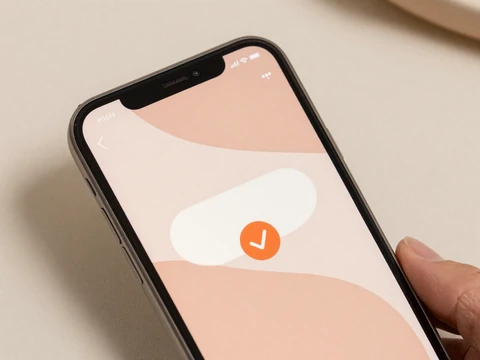
Three-second video, automatically matched to your profile photo. Verified badge appears within a few minutes.
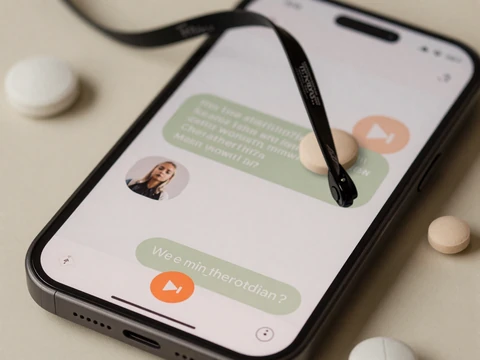
Live captions on every video call, voice-note transcripts, and ASL-friendly chat. Free on the basic tier.
Language matters. We don't pick one model and force the whole community into it - you select the framing that fits how you describe yourself.
Preferred by many Autistic and Deaf adults, where disability is part of identity and culture. Examples: "Autistic adult," "Deaf woman," "blind reader."
Preferred by many adults with physical or medical conditions like cerebral palsy, epilepsy, or bipolar disorder. Examples: "person with epilepsy," "woman with CP."
Read more on identity-first versus person-first choice in interabled relationships.
Accessibility isn't a settings menu buried three taps deep - it's the default state of the dating apps for disabled adults that we set out to build.
Tested with JAWS, NVDA, VoiceOver, and TalkBack on every release. Semantic HTML, descriptive labels, logical focus order throughout.
Live captions on video calls, transcripts on voice notes, alt text required on profile photos before publish.
High-contrast theme, adjustable text size, reduce-motion respected, dark mode for migraine and photosensitivity.
48px minimum touch targets, full keyboard navigation, no swipe-only gestures, voice command for hands-free use.
Safety on a disability dating app depends on layered systems. Inspired by the manual-review approach used by Special Bridge - where every profile is checked by humans before approval - we combine identity verification with around-the-clock moderation and a public behavioral policy.
Read the full safety playbook or our dating app safety tips for disabled users.
Build a free profile in under ten minutes. You can browse, message, and verify without entering a card.
Create a free profile on a disability dating site, complete selfie-video verification, then set the accessibility preferences that matter to you - wheelchair, ASL fluency, sensory-friendly dates, or specific conditions like ADHD or PTSD. On DisabledDating, most members exchange a first message within forty-eight hours of joining.
DisabledDating is a dating app built for adults with disabilities and chronic conditions, with twelve community categories spanning wheelchair users, Deaf adults, Autistic adults, people with ADHD, cerebral palsy, epilepsy, PTSD, bipolar disorder, Down syndrome, dwarfism, blindness, and limb difference. It is free to join, WCAG 2.2 compliant, and operates a public anti-ableism policy.
Most members complete sign-up, selfie verification, and accessibility preferences in eight to ten minutes. You can save progress and finish later - nothing is locked behind a card or premium tier.
A profile photo and selfie-video verification are required before you can send messages, because they protect the community from catfishing and devotee accounts. You can choose who sees your photo - everyone, only matches, or only people you message first.
Yes. Disability disclosure is fully optional in your profile. Some members share openly from day one, others wait until they message, and some never list it at all. Our guide on disclosure timing walks through three models with scripts.
Yes. Profile creation, browsing, messaging, video chat, verification, and accessibility filters are free with no credit card at signup. Premium adds advanced filters and read receipts but is never required to match or chat.